Shree-Mazu Smart Home: design in VR, live in reality
It creates a virtual world with your own home and your own 3D character. Your family sets up lights, scenes and devices there like playing a game, and our AI transfers the result to your real home.
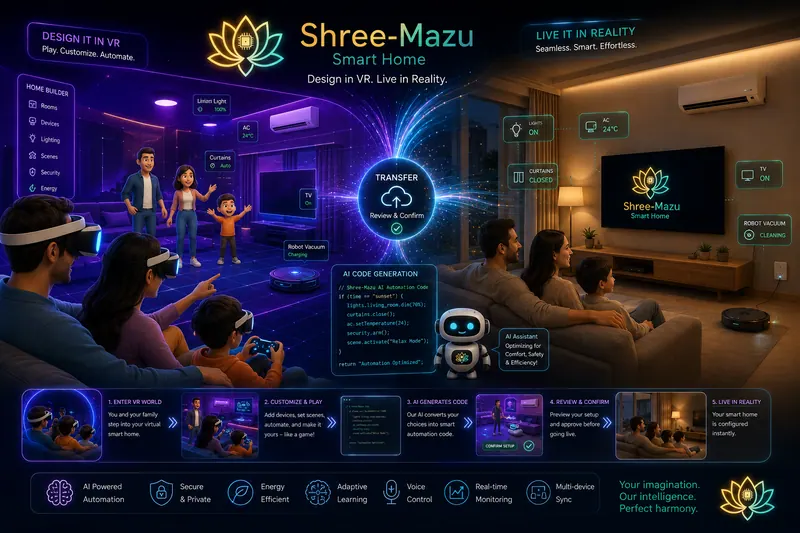
Two worlds, one home
Everything you set up in the virtual home is carried over to the real one: the same rooms, the same devices, the same scenes.
- your own home and characters
- 3D
- steps from VR to reality
- 5
- 01
The virtual world
Your own home in 3D, with each member of the family as their own 3D character.
- Your own rooms and layout
- Your own 3D character
- Devices where they really are
- Played with a VR headset or a controller
- 02
The AI in between
It turns what you set up into automation code, and shows it to you first.
- Writes the automation code
- Tunes for comfort, safety and energy
- Waits for your confirmation
- 03
Your real home
After you confirm, the same setup goes live in the home you actually live in.
- Lights, AC, curtains and TV
- Scenes such as Relax Mode
- Robot vacuum and security
- Voice control and live status
The challenge
Smart homes are usually set up through apps, menus and settings that one person in the family understands and everyone else avoids. It is hard to picture what an automation will do until it runs, so many smart homes never get past switching lights from a phone.
What we built
Shree-Mazu Smart Home turns setup into play. It creates a virtual world with your own home and a 3D character for each member of the family. Inside it, you add devices, set scenes and try automations together, the way you would in a game. Our AI turns those choices into automation code, you review and confirm it, and the same setup goes live in your real home, where an AI assistant keeps tuning it for comfort, safety and energy.
Engineering highlights
- A 3D copy of your own home, with a 3D character for each member of the family
- A Home Builder inside the virtual world for rooms, devices, lighting, scenes, security and energy
- Played with a VR headset or a game controller, so the whole family can take part
- AI that turns what you set up into automation code
- A preview of every change, confirmed by you before it reaches the real home
- Voice control, live status and the same home on all your screens
From VR to reality in five steps
- 01
Enter your virtual home
Put on the headset and step into a 3D copy of your home with your family, each as your own character.
- 3D home
- 3D characters
- 02
Customize and play
Add devices, set scenes and automate them the way you would in a game. Try it, change it, try again.
- Devices
- Scenes
- 03
AI writes the code
Our AI turns your choices into automation code: at sunset, dim the lights, close the curtains and set the AC.
- Automation code
- 04
Review and confirm
Preview the setup and approve it. Nothing changes in the real home before you do.
- Preview
- Your approval
- 05
Live in reality
Your real home is set up the same way, and the AI assistant keeps tuning it.
- Real home
- Same scenes
Your imagination, our intelligence
What you design in the virtual home runs in the real one, and keeps getting better as the AI learns how your family lives.
AI-powered automation
Our AI writes the automation code from what you set up in the virtual home.
An assistant that keeps learning
It learns your family's routines and keeps tuning the home for comfort, safety and energy.
Secure and private
Every change is reviewed and confirmed by you before it reaches the real home.
Voice control
Ask for a scene or a device by voice.
Real-time monitoring
See what every light, AC, curtain and device is doing, live.
Multi-device sync
The same home and the same scenes on all your screens, kept in step.
More work
All work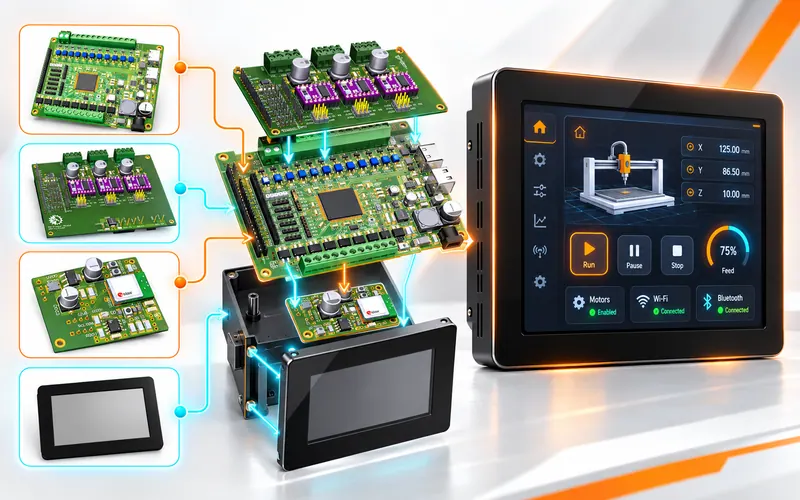 AI inside
An industrial controller you program by describing it
Our own STM32-based controller and the Shree-Mazu Workbench, which generates and flashes its firmware from a canvas or a plain-English request.
Read the case study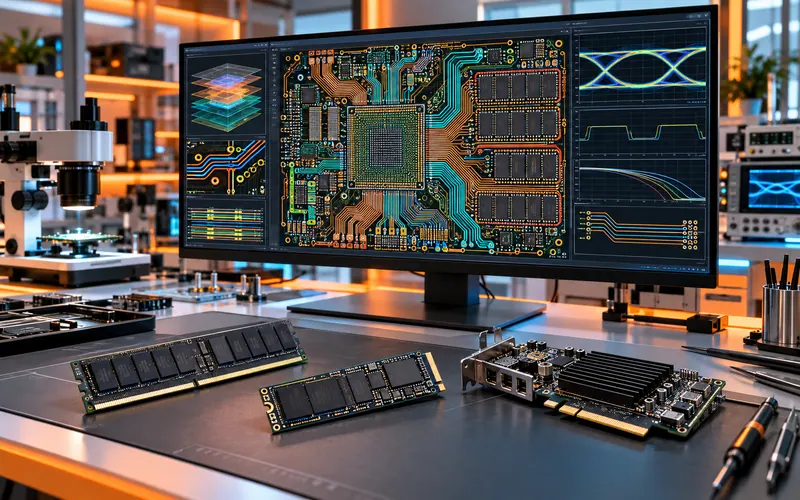
Complex high-speed boards, from our own RAM to AI cards
Our own RAM, SATA III, NVMe M.2 and PCIe SSDs, an AI card and a high-speed single-board computer, on PCBs from 4 to 12 layers, with signal-integrity, eye-diagram and crosstalk reports.
Read the case study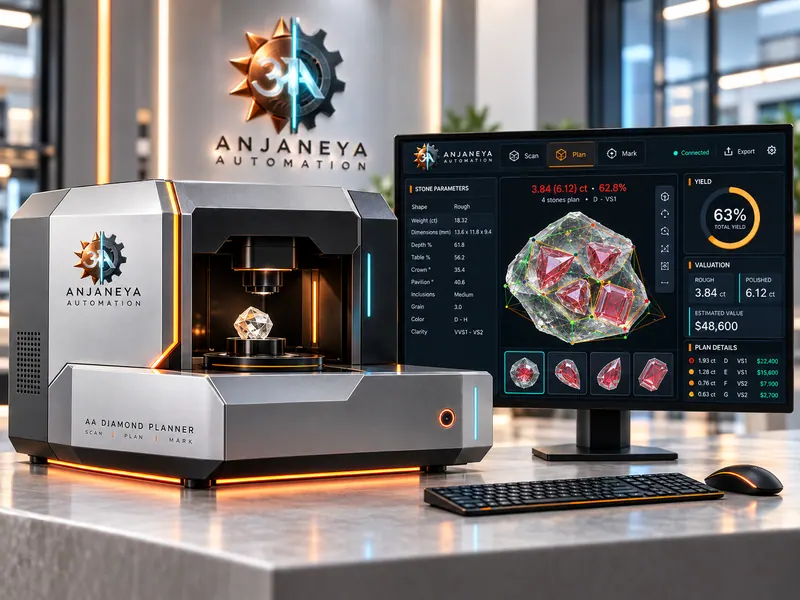
The Diamond Planner machine, designed end to end
A machine that scans a rough diamond in 3D and plans the most valuable stones inside it, using our own gravity-based optimization. We designed all of it: the mechanics, the 6-axis controller board and the software.
Read the case studyReady to make your machine smarter?
Tell us about the machine you run or the product you imagine. We reply within 24 hours on working days. We sign an NDA before you share details.